01 Follow a guide. Write. Collect.
Write a little.
Make it
your own.
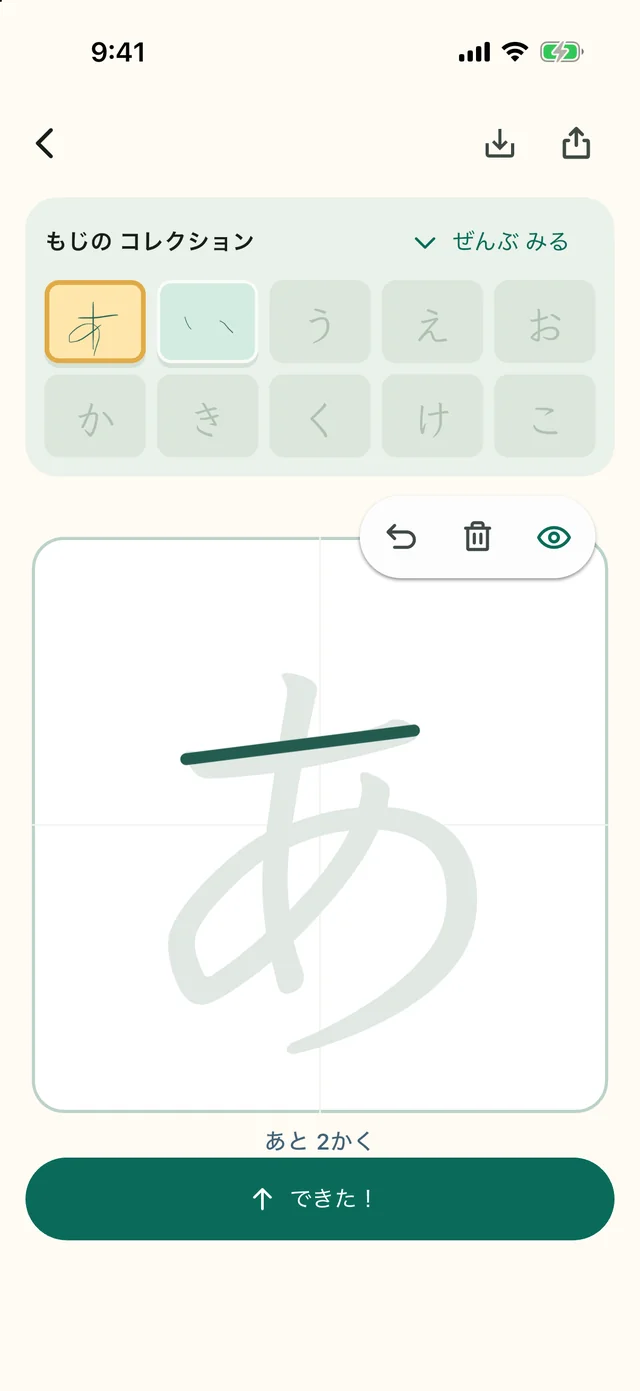
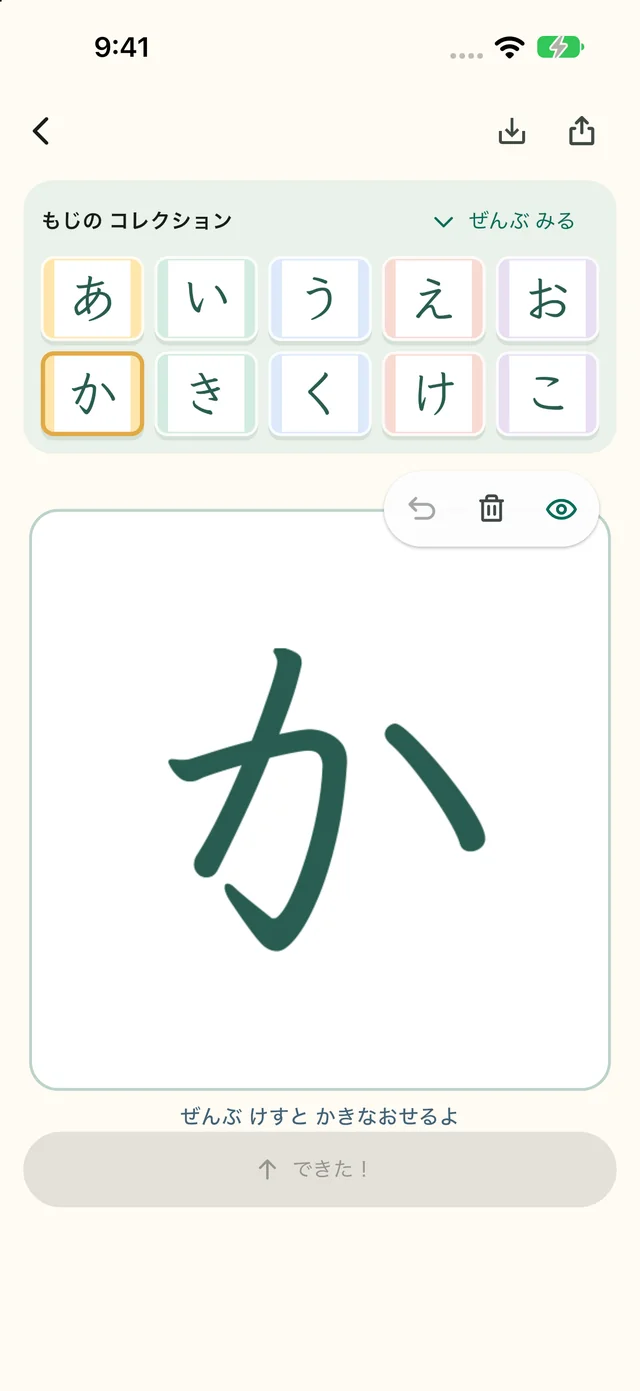
Follow a guide, one Japanese letter at a time.
Tap “Done!” to keep what you wrote.
Watch your own handwriting collection grow.
Available on iPhone, iPad and Android in Japan.
02 Play with your letters
Your handwriting.
A little Sticky Art.
The letters you collect become colorful sticky notes. Make pictures, like this apple, with your own handwriting.
One letter at a time, a whole picture comes together. There’s more to enjoy after you write.
Keep enjoying what you made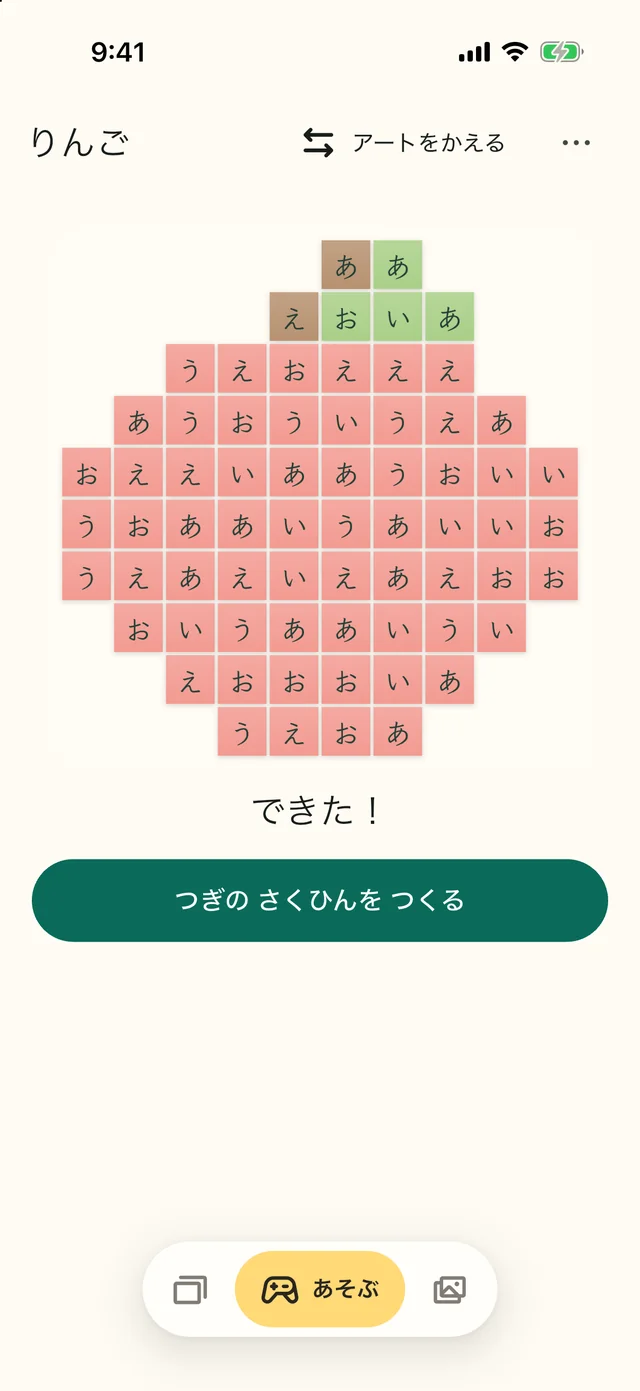
03 Enjoy them again
Keep your letters.
Enjoy what you made.
Look back at your handwriting in the gallery. Put your letters and artwork on your home screen with widgets.
A little reminder of what you wrote and made, ready to brighten your day.
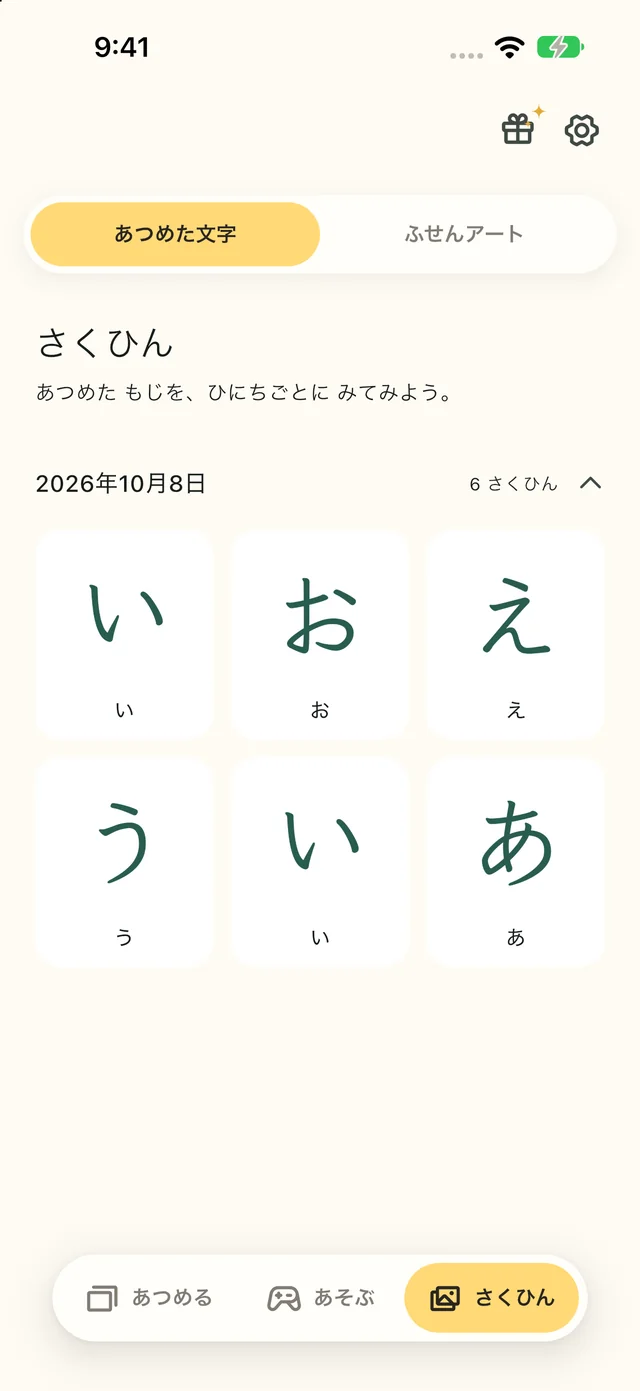
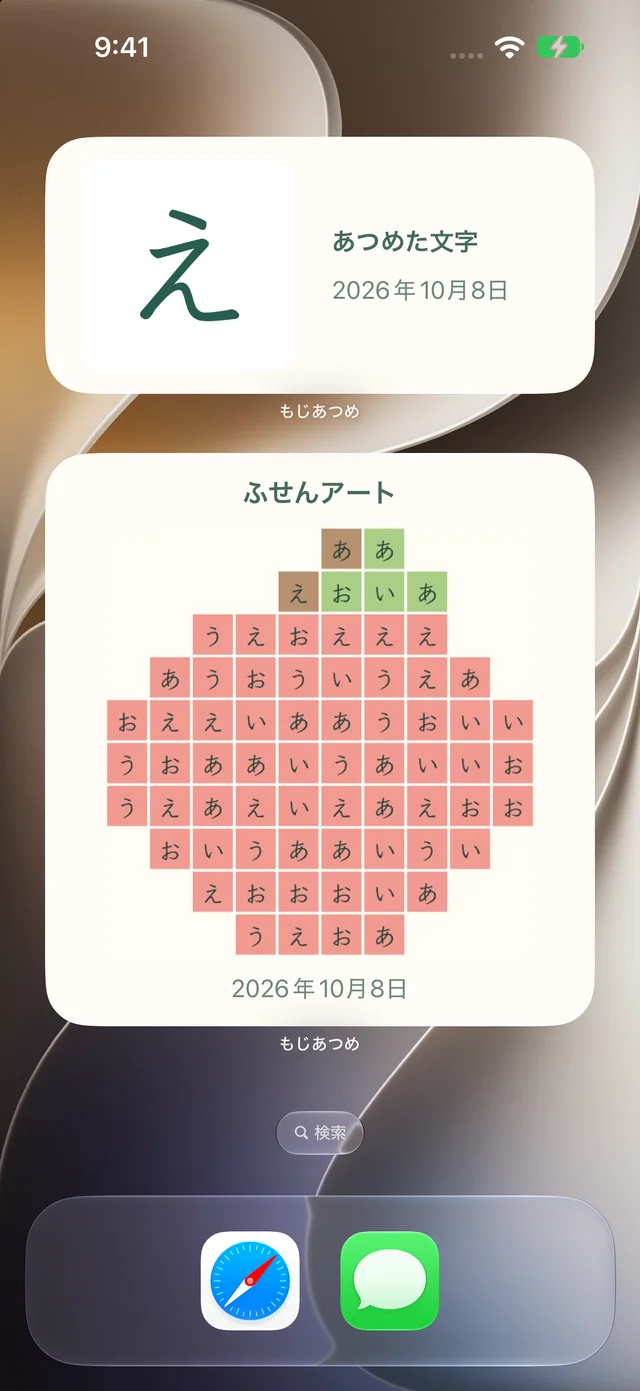
Screenshots show the Japanese version and sample artwork. Available content and appearance may vary by region and app version.
For your first あ, and every letter after.
Find the fun
in small beginnings.
Whether you’re learning Japanese as an adult or helping a child get started, Moji Atsume brings together handwriting practice and the pleasure of making something with your letters.
Your handwriting and artwork stay on your device. See our Privacy Policy for information about purchases, diagnostics and support data.
Before you begin
A few useful answers.
Is it free to use?
The app and some practice content and designs are free. Additional content and designs are available through one-time in-app purchases. Each purchase screen shows its content and price.
Do I need an Apple Pencil?
You can practice with your finger. To use Apple Pencil, you’ll need a compatible iPad and Apple Pencil.
Can I transfer my handwriting and artwork?
Handwriting and artwork are stored on your device and are removed if you delete the app or clear its data. Share or save images you want to keep beforehand.
How can I get help?
Choose Feedback in the app’s Settings, or email contact@nexus-inc.net. Visit our Support page for purchase restoration and sales terms.
Need a hand?
Get in touch about the app or your purchases.